
TTC Bus Tracker PRO1.1 - Google Play
You'll be able to see results in few seconds.
Publisher Description
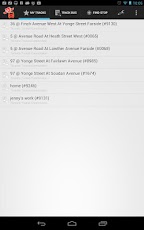
***** IMPORTANT: You can get Ultimate NextBus Tracker which serves "40" transit systems including San Fran MUNI, BART, LA Metro, and Toronto..... *****Tired of waiting for a bus that perhaps would never come? Need a smart assistant that alarms when your bus is expected to arrive at your designated stop in 4 minutes? Use several public transits on your frequent trips?All features you really need are in one place, right here! With our TTC Bus Tracker, your buses are in your hand! The screenshots will tell you everything described below.FEATURES:✓ Transit system can be seamlessly interchangeable. Requires no refresh or reset at all.✓ Get real-time bus arrival / departure predictions by any route, direction, stop name and stop ID within just 3 touches.✓ Check all vehicles' current locations on your toute.✓ Add a stop to your favorites, and even create a shortcut on your Home screen.✓ Set an alarm so that it reminds you of the current location of the bus.✓ Check the exact location of the bus on the map. You can also intuitively check other buses and bus stops together at once! ✓ In your favorites, you can not only save a bus stop but also a pair of route and bus stop. Now you can get exactly what you want!✓ Find nearby stops based on your location. Within just 2 touches, you can find when the bus will arrive at that stop. StreetView will be there to show the surrounding view of that bus stop.✓ Predictions will automatically updated. You can set the refresh interval on your own. ✓ Full support for devices from Ginger Bread(2.3.3) to Jelly Bean(4.1), including tablets. .... and many more cool features you can easily understand.This app is designed to provide predictions as clearly and simply as possible within a few number of touches. You will love it!
About TTC Bus Tracker PRO
The company that develops TTC Bus Tracker PRO is Phaulie Shueen. The latest version released by its developer is 1.1.
To install TTC Bus Tracker PRO on your Android device, just click the green Continue To App button above to start the installation process. The app is listed on our website since 2012-11-16 and was downloaded 0 times. We have already checked if the download link is safe, however for your own protection we recommend that you scan the downloaded app with your antivirus. Your antivirus may detect the TTC Bus Tracker PRO as malware as malware if the download link to ca.paulshin.tracker.ttc is broken.
How to install TTC Bus Tracker PRO on your Android device:
- Click on the Continue To App button on our website. This will redirect you to Google Play.
- Once the TTC Bus Tracker PRO is shown in the Google Play listing of your Android device, you can start its download and installation. Tap on the Install button located below the search bar and to the right of the app icon.
- A pop-up window with the permissions required by TTC Bus Tracker PRO will be shown. Click on Accept to continue the process.
- TTC Bus Tracker PRO will be downloaded onto your device, displaying a progress. Once the download completes, the installation will start and you'll get a notification after the installation is finished.
Program Details
System requirements
Download information
Pricing
Version History
version 1.1
posted on 2012-11-16
version 1.1
posted on 2012-11-16
Several fixes and updates
Disclaimer
Official Google Play Link
We do not host TTC Bus Tracker PRO on our servers. We did not scan it for viruses, adware, spyware or other type of malware. This app is hosted by Google and passed their terms and conditions to be listed there. We recommend caution when installing it.
The Google Play link for TTC Bus Tracker PRO is provided to you by apps112.com without any warranties, representations or guarantees of any kind, so access it at your own risk.
If you have questions regarding this particular app contact the publisher directly. For questions about the functionalities of apps112.com contact us.
